

Overview
Arkhub has one map in two places. The home map shows every site in Arkhub. A repository map shows the records of one repository. Both share the same controls, settings and timeline.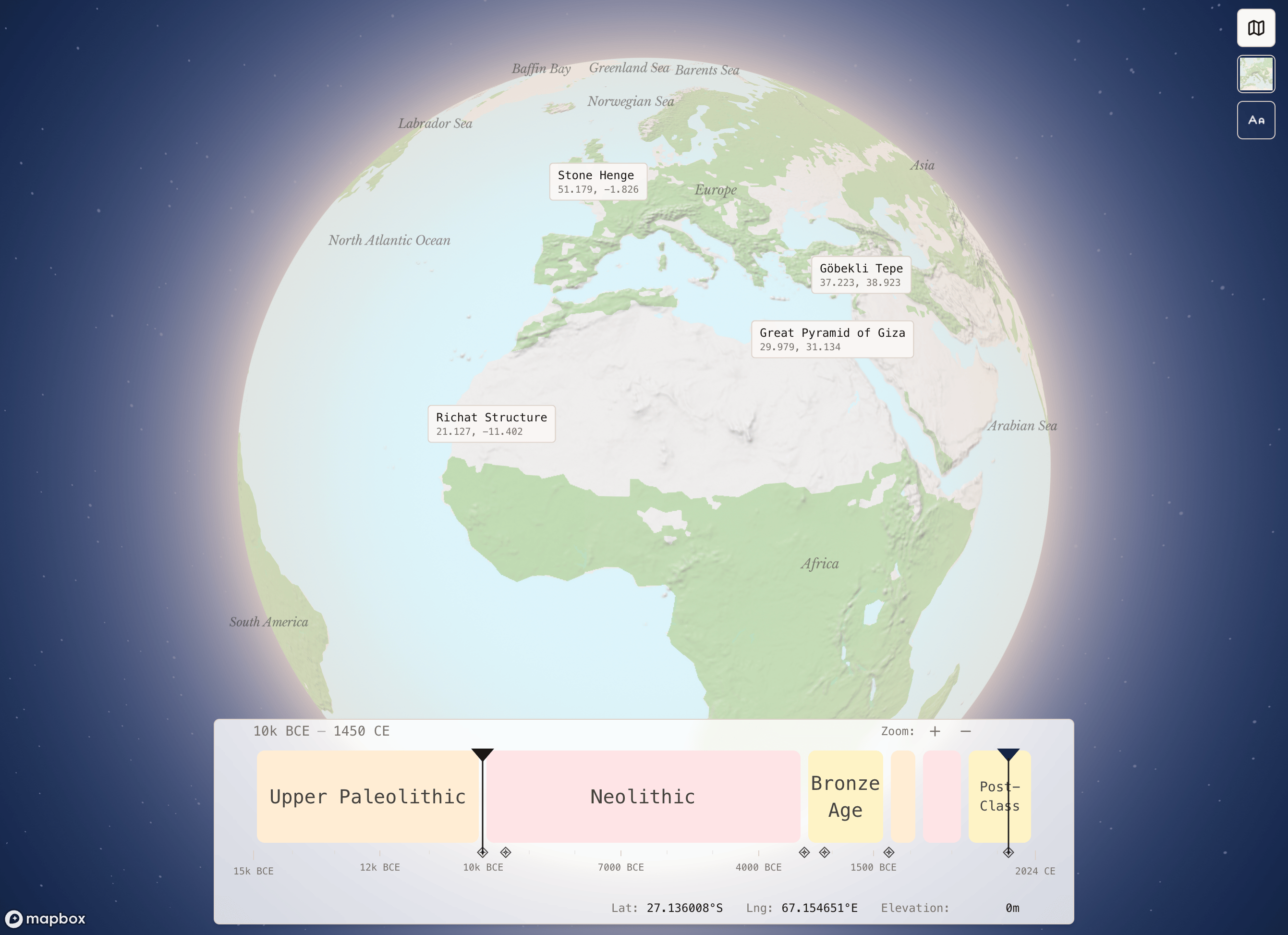
The home map
Open app.arkhub.co. The globe draws every site in Arkhub and groups sites that sit close together.- Click a site to fly in close, onto the satellite imagery, and open its panel. Choose what appears from the map settings: the info panel, a mini map, an animation, the experts and the tours connected to the site. Four presets (Minimal, Detailed, Immersive, Custom) set them at once.
- Timeline: below the map, a timeline shows how many sites date to each period. Drag across it to see only the sites from those years. Each record spans the years its datings cover.
- Popular repositories: open Ancient Apocalypse, Megalithic Stones and others straight from the cards in the corner.
Repository maps
Open a repository’s map from the small map in its corner, or from Explore map in its menu in the sidebar. The map flies from the globe to where the records are.- Filter chips: a bar over the map lists each kind, shape or other choice the repository has, with how many records match. Pick what to show, or switch a chip to hide, say, every line but keep the figures. The map and the table filter the same way.
- Record list: a panel beside the map lists the records. It follows the map’s filters and timeline, groups by any column and highlights the record you have open.
- Outlines: places with an outline draw their shape once you zoom in. Click an outline to open the place.
Controls
- Moving around
- Right-click
- Search
- Pan: drag.
- Zoom: scroll, or use the + and - buttons.
- Coordinates show in the corner as you move.
Map settings
Open the settings from the map. They are kept between visits.
The map’s look follows light and dark mode.
Coming soon
LIDAR terrain and 3D scans on a record’s page are coming soon. Click Coming soon in the app to leave your email for when they ship.Troubleshooting
Related pages
- Repositories: add records by picking areas on a map
- Records: the location and the plan of a place
- ArkGrid IDs: the 1 km cells behind every place